Open source  ·  Local-first  ·  No cloud

An AI agent that audits
everything your website sends.

Point Odit at any site and it crawls pages, intercepts every network request, detects tracking vendors, and flags compliance issues — automatically.

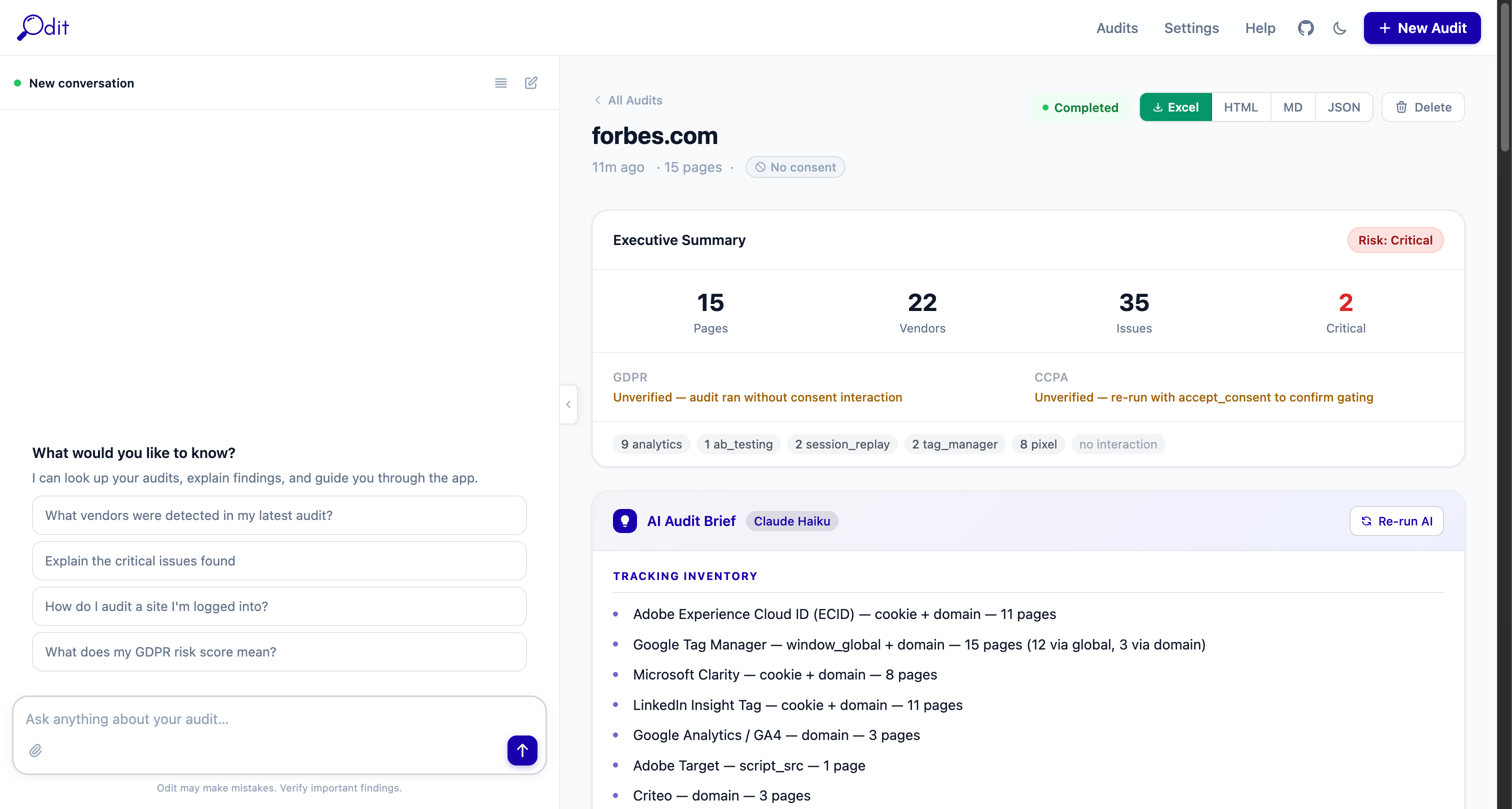
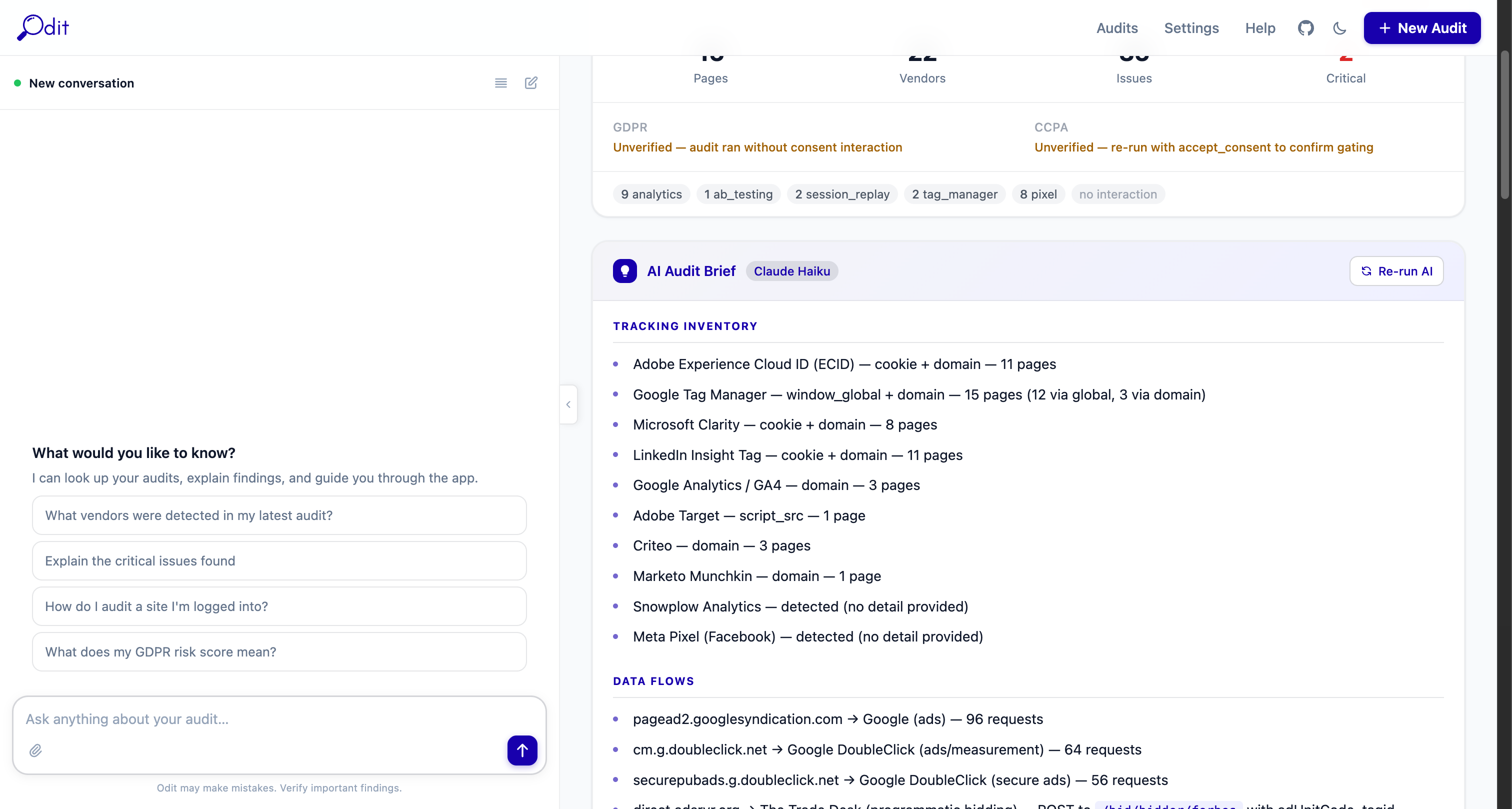
Odit audit summary showing risk rating, vendor breakdown, and GDPR posture

An AI agent for website tracking audits

Odit reduces the time, effort, and uncertainty in digital implementation reviews. Point it at any website and it autonomously runs the audit, analyses tracking behaviour, compares changes across site versions, and identifies key risks — so you don't have to do it manually.

  • Autonomous audits — crawls pages, intercepts every network request, and detects 40+ analytics vendors, pixels, and consent tools
  • Tracking behaviour analysis — AI reads every vendor payload and explains what data is sent, to whom, and why it matters
  • Version comparison — run audits before and after a deployment to see exactly what changed
  • Risk identification — flags consent violations, PII in URLs, missing CMPs, and rogue vendor activity
  • Export everything — Excel workbook, HTML report, Markdown, JSON, HAR files, and per-page screenshots
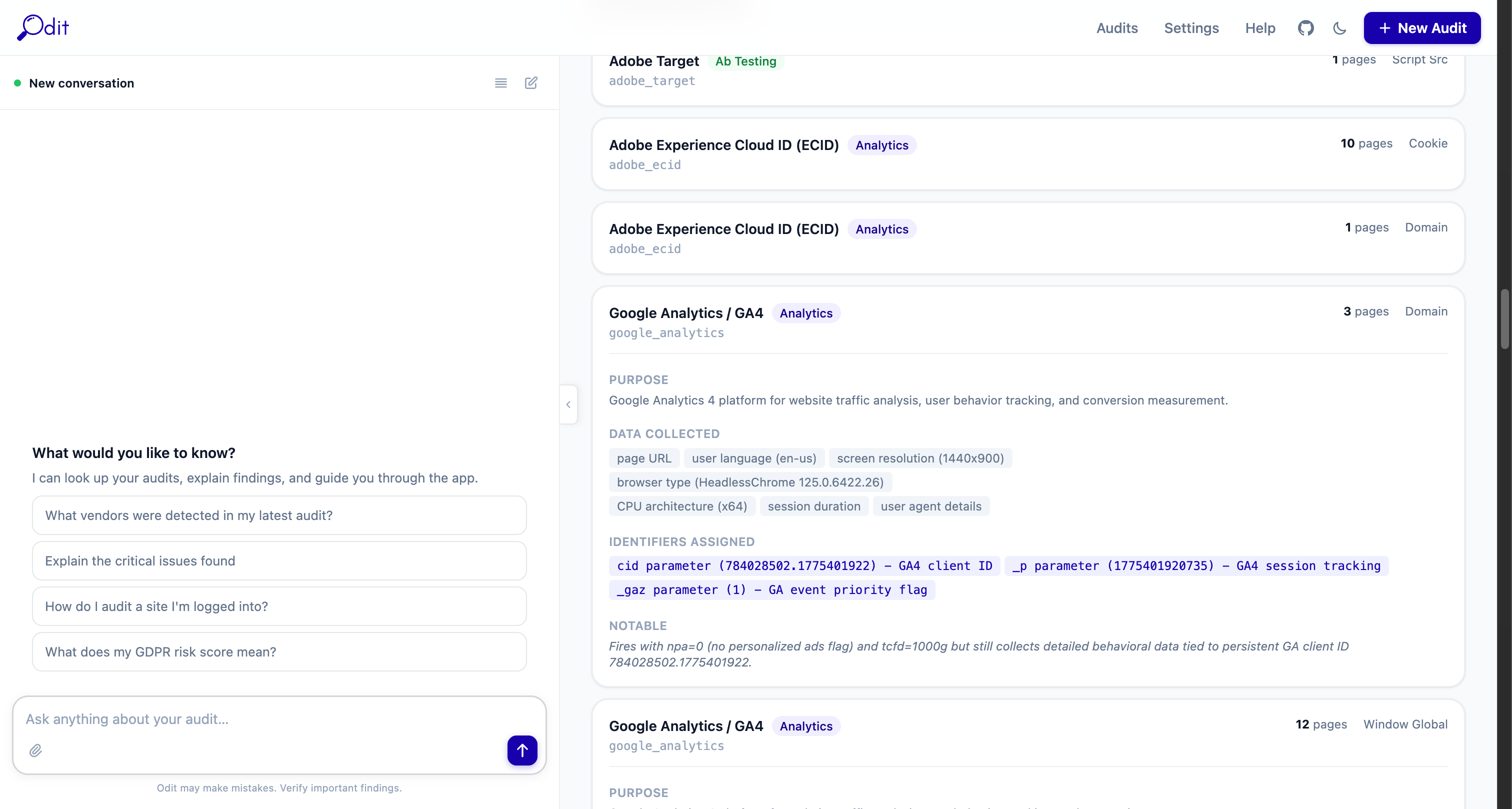
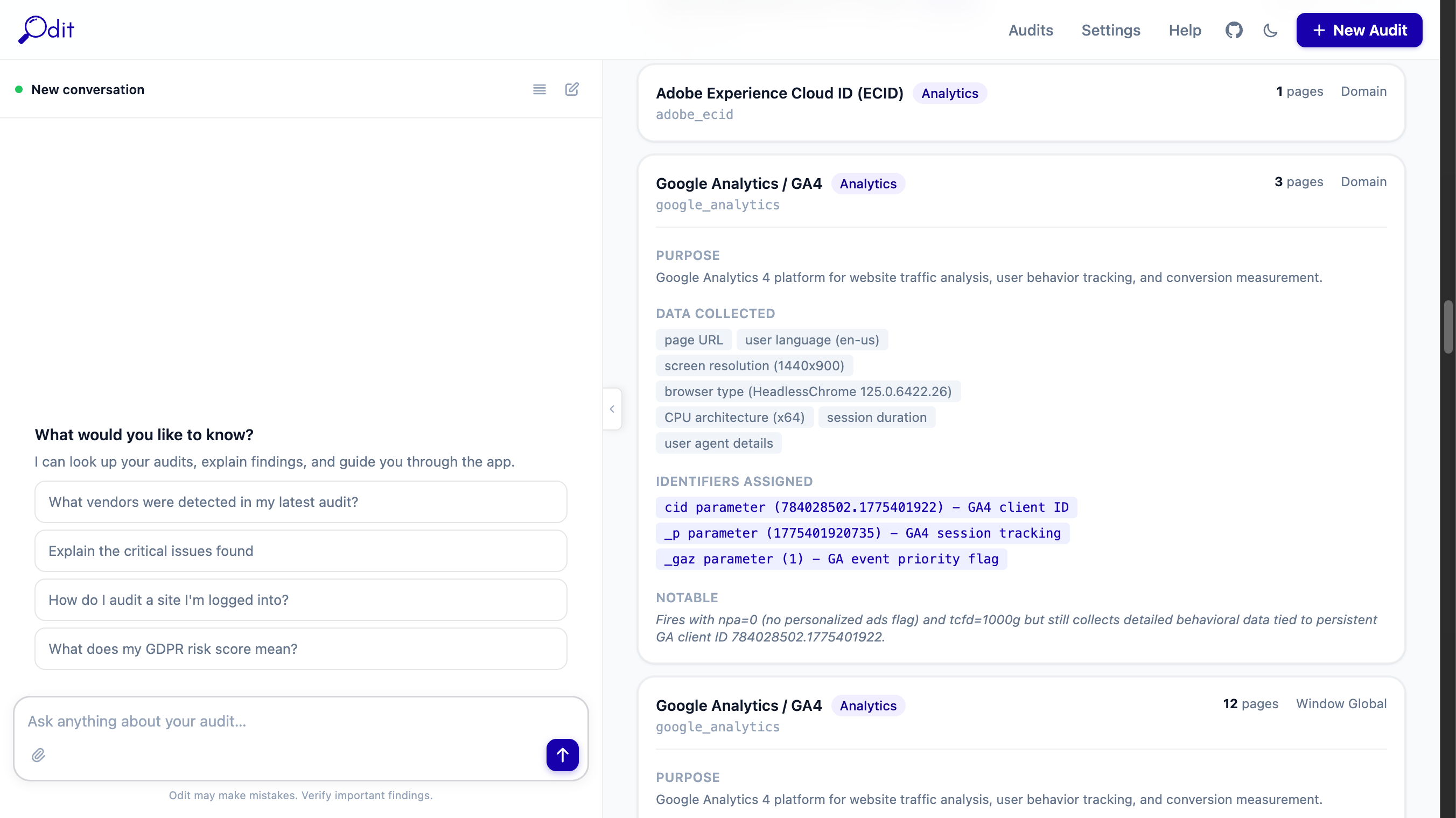
Vendors tab showing detected tracking vendors with categories and payload analysis

Faster, more confident implementation decisions

Digital implementation reviews are slow, manual, and easy to get wrong. Odit removes the guesswork — so teams can improve implementation quality, strengthen compliance oversight, and act on evidence instead of assumptions.

Reviews that used to take days

Manual implementation audits require opening DevTools, decoding requests, and cross-referencing vendor docs. Odit does all of that automatically, in minutes.

Implementations drift without warning

Tags get added, scripts change, and consent logic breaks — often without anyone noticing. Odit catches what slipped in before it becomes a compliance incident.

Compliance needs evidence, not guesses

GDPR, CCPA, and ePrivacy require proof. Odit generates evidence-grade reports you can hand directly to your DPO, legal team, or governance function.

Your data stays yours

Every other audit tool sends your client's data to the cloud. Odit runs entirely on your machine. Nothing leaves unless you export it.

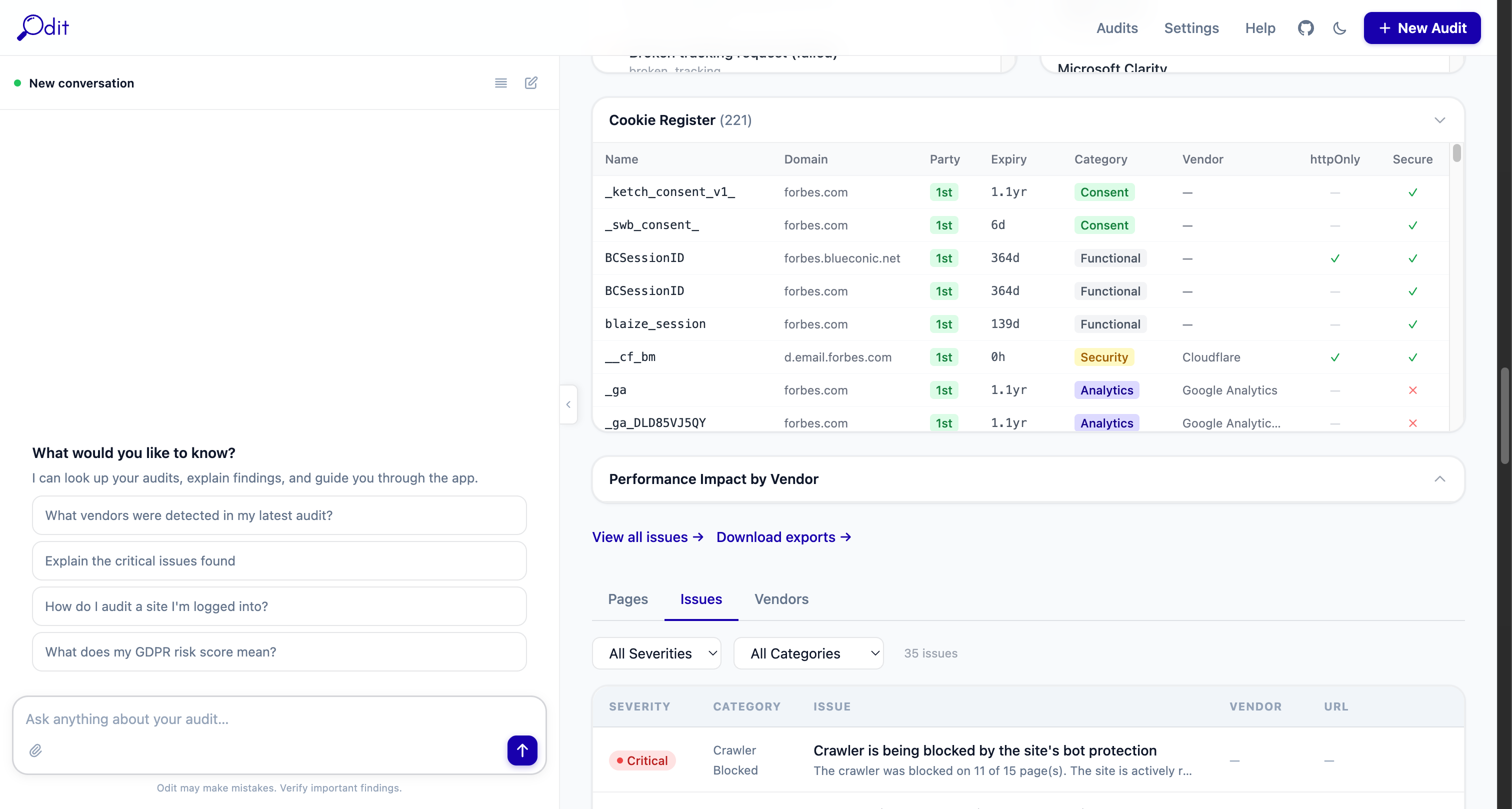
Issues tab showing detected compliance violations with severity ratings

Built for marketing, analytics, and governance teams

Odit is designed for the people who own implementation quality, compliance oversight, and data governance — not just developers.

Marketing teams

Verify your tracking stack is firing correctly before campaigns go live. Debug attribution gaps, confirm consent mode is working, and see exactly what your tags send.

Analytics teams

Validate implementation quality across properties. Compare tracking behaviour before and after deployments. Identify gaps and discrepancies without digging through raw network logs.

Governance and compliance teams

Strengthen oversight of vendor activity, consent behaviour, and data flows. Generate evidence-grade reports for DPOs, legal teams, and regulators without writing a line of code.

Digital agencies

Deliver implementation audits alongside every build. Demonstrate due diligence to clients and offer compliance-as-a-service without expensive enterprise tooling.

DPOs and legal counsel

Get technical evidence without writing code. Ask the AI assistant in plain English and receive structured answers backed by real network captures.

Developers

Verify your tag manager before go-live. Catch PII in analytics requests. Confirm nothing fires before consent. Diff two deployments side by side.


Audit detail page showing export buttons and live crawl progress

At every stage of the implementation lifecycle

1

Before launch

Run an implementation review before anything goes live. Verify consent behaviour, check for PII in requests, and confirm your vendor list matches what was agreed.

2

After a deployment

Compare tracking behaviour before and after a release. See exactly what changed — new vendors, broken scripts, shifts in consent mode — with no manual digging.

3

During a compliance review

Generate evidence for your DPO, legal team, or regulator. Export audit reports to Excel or PDF-ready HTML — structured, readable, ready to share.

4

On an ongoing basis

Ask the AI agent to run regular audits and surface what's changed. Maintain continuous oversight of vendor activity and consent behaviour without manual effort.


From URL to full audit report in minutes

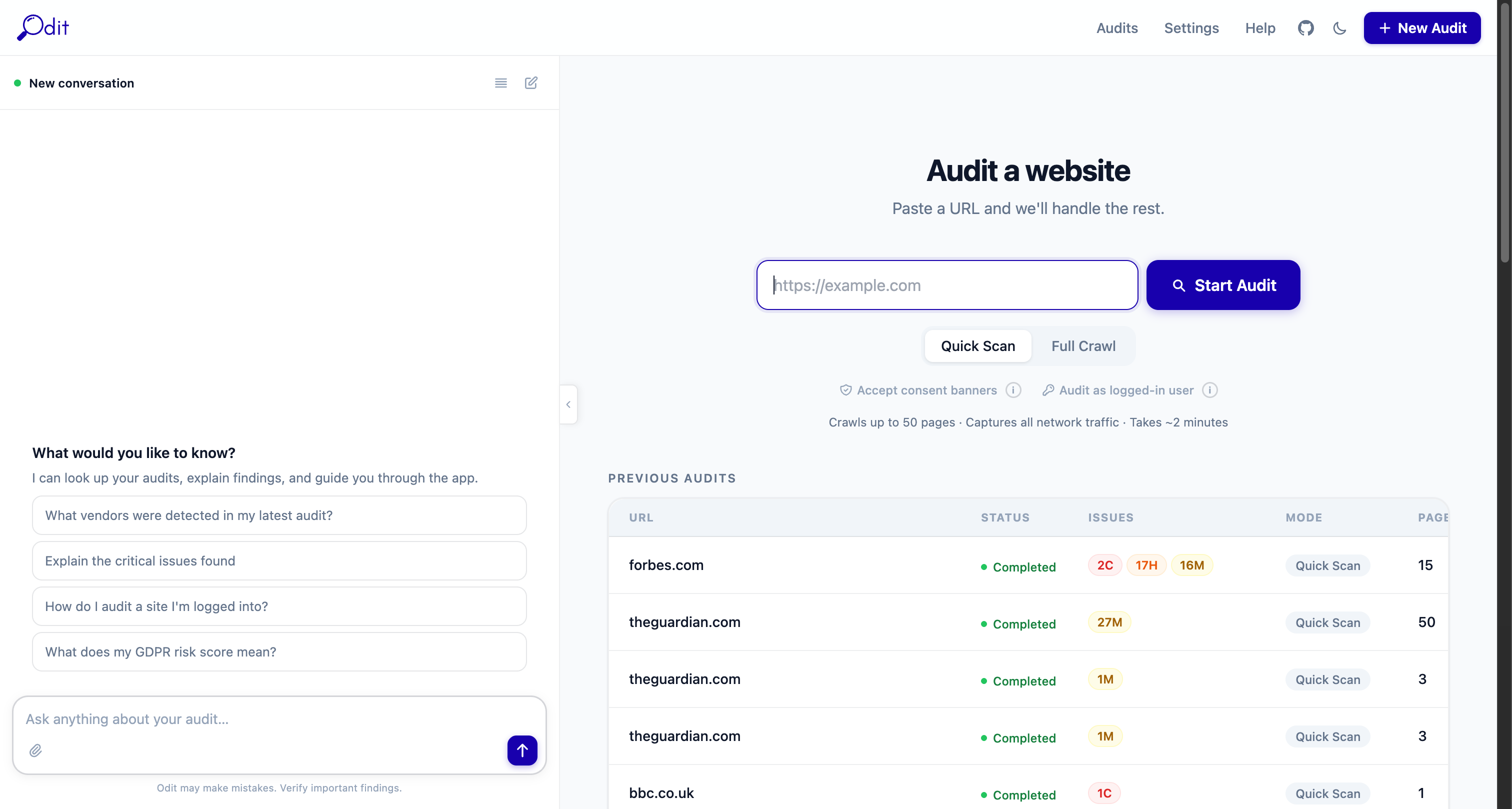
Paste a URL. Odit does the rest. No configuration required to get started.

1

Paste a URL

Enter any website URL, choose Quick Scan or Full Crawl, set your consent mode, and hit Start Audit.

2

Real browser crawls

A headless Chromium browser crawls the site, executing JavaScript and triggering all the tracking that a real user would.

3

Every request captured

mitmproxy intercepts all network traffic — including HTTPS — capturing full request and response details for every tracking call.

4

Results & reports

Vendors detected, issues flagged, AI payloads analysed. Export to Excel, HTML, Markdown, or JSON with one click.

Start an audit

Odit home page with audit form

Vendor payload analysis

Vendor detail showing AI payload analysis

On your machine.
Nowhere else.

Odit is local-first. It runs as four Docker containers on your laptop or server. Audit data is stored in a local folder. Nothing is uploaded to any cloud service.

Docker Compose — one command to start everything
Local storage — audit data in ./data/ on your filesystem
API key stays local — stored in your local database only
macOS · Linux · Windows — anywhere Docker Desktop runs
terminal
git clone https://github.com/venk-hub/Odit.git
cd Odit
# Copy environment file
cp .env.example .env
# Start all containers
./start-auditor.sh
# Open the app
open http://localhost:8000

Requires Docker Desktop. That's it.


Every screen, built for clarity

Executive summary

Executive summary with risk rating and GDPR posture

Issues & violations

Issues tab with compliance violations

Vendor inventory

All detected vendors with categories

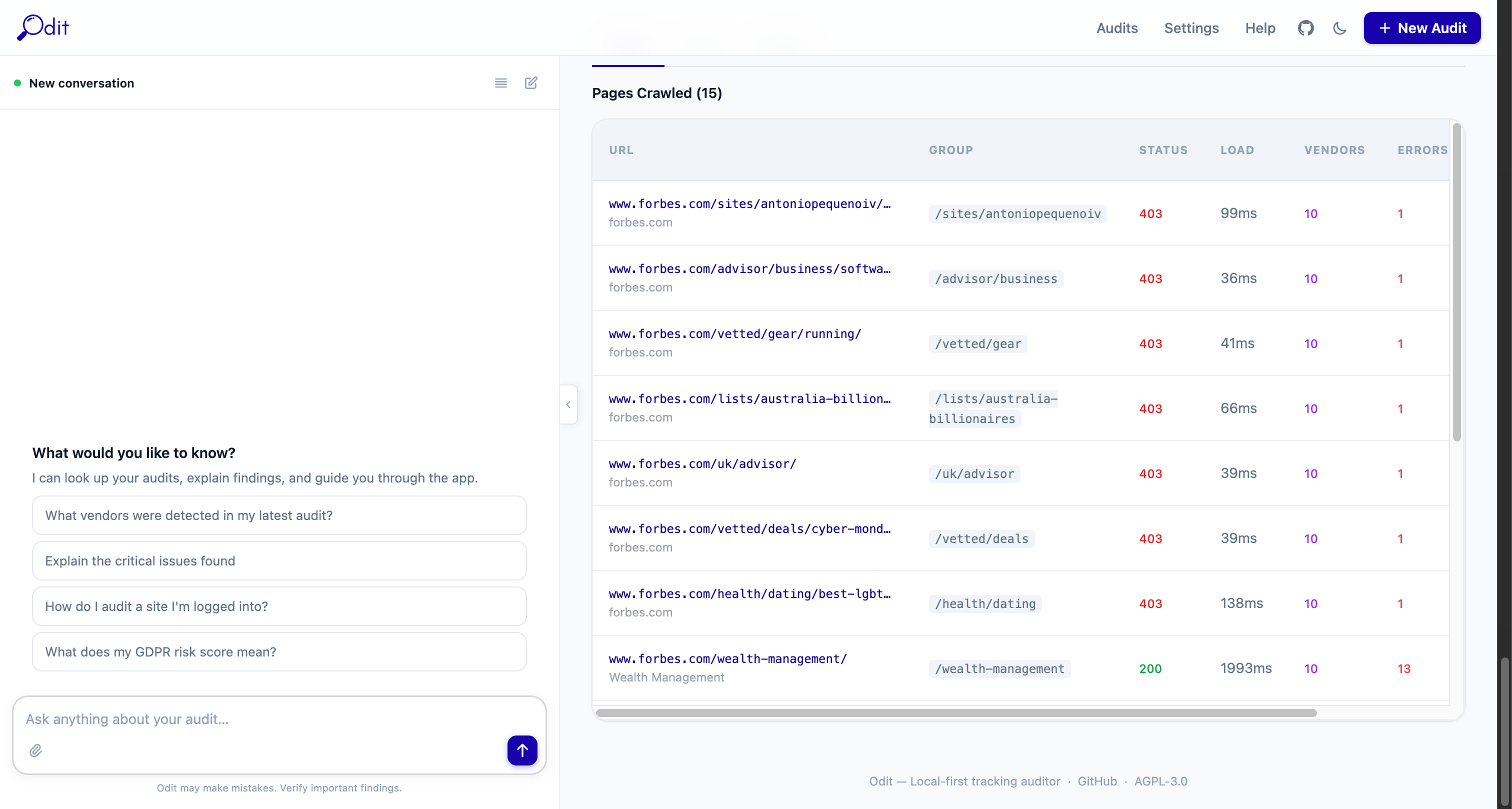
Pages crawled

Per-page crawl results